
UI/UX Stages - A Modern Guide for Designers
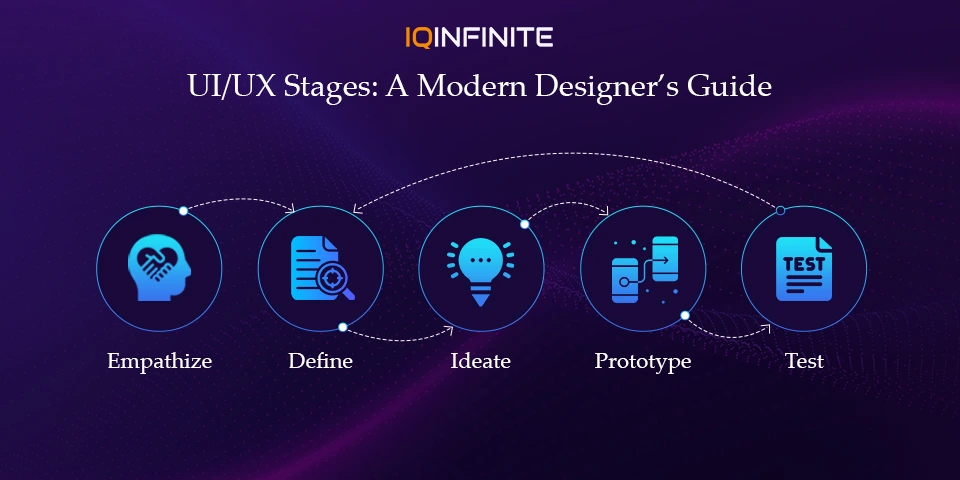
In user-centered design, following a structured but flexible process helps ensure that the product truly solves user problems and delights them. The canonical framework that many designers follow is based on Design Thinking a human‑centered, iterative method for solving complex problems. Fintech platforms like Trade Republic demonstrate how a strong UI/UX process can translate complex financial workflows into intuitive, accessible digital experiences.
Here are the five key stages of UI/UX, along with what they entail in 2025 and how you can approach them effectively.
1. Empathize - Understand the User
The Empathize stage is all about deeply understanding who your users are, what they need, what frustrates them and how they behave. This is more than just demographics it’s about emotions, motivations, real-world context.
Common Activities:
Common Activities:
- Conduct interviews, surveys or contextual observation of users.
- Build empathy maps (what users say, think, feel, do) to surface their internal motivations.
- Create user personas and journey maps to model typical user behaviour, goals and pain‑points.
Why It Matters (Especially Now):
With rapidly shifting user expectations especially as digital products become more personalized, context-aware and AI‑driven truly understanding the user’s context is more crucial than ever. Approaching users with empathy helps avoid designing based on assumptions or biases.
With rapidly shifting user expectations especially as digital products become more personalized, context-aware and AI‑driven truly understanding the user’s context is more crucial than ever. Approaching users with empathy helps avoid designing based on assumptions or biases.
2. Define - Frame the Right Problem
Once you have gathered insights from user research, the next step is to synthesize that knowledge and define what problem you’re solving. This is about clarity: What is the user’s pain point? What opportunity can you seize?
Common Activities:
Common Activities:
- Analyse and cluster findings to look for patterns (e.g. using affinity maps or grouping similar user pain‑points).
- Create problem statements or “How might we…” questions to frame the challenge in a design‑friendly way.
- Define user personas and user journey maps more clearly, highlighting their needs, frustrations and context.
Why It Matters:
A well‑defined problem statement keeps the entire design process focused and aligned. Instead of jumping to solutions, you root your design in real user needs avoiding wasted effort and reducing the risk of building features nobody wants.
A well‑defined problem statement keeps the entire design process focused and aligned. Instead of jumping to solutions, you root your design in real user needs avoiding wasted effort and reducing the risk of building features nobody wants.
3. Ideate - Generate Ideas & Explore Solutions
With a clear problem statement, the Ideate phase is where creativity and innovation come in. This is a divergent stage the goal is to explore as many potential solutions as possible, without judgment.
Common Activities:
Common Activities:
- Brainstorming sessions alone or with a team. Techniques like mind‑mapping, “worst possible idea” or “SCAMPER” can help.
- Sketching rough layouts or workflows (low‑fidelity ideas) to represent different approaches.
- Creating user flows, feature lists or initial wireframes if you keep it exploratory.
Modern Trends / Tips (2025):
- Embrace cross-functional collaboration: bring in stakeholders, developers, designers early diverse perspectives often lead to richer ideas. This is part of what “design thinking” encourages.
- Use creative ideation methods don’t just stick to obvious or conventional solutions. Pushing boundaries often leads to more innovative, user‑centered results.
4. Prototype - Make Ideas Tangible
Once you have promising ideas, the Prototype phase lets you turn them into something tangible a physical or digital representation that can be interacted with. This helps you test viability before investing heavily.
Common Activities:
Common Activities:
- Start with low-fidelity forms: paper sketches, simple wireframes, basic UI outlines.
- Progress to higher-fidelity prototypes: interactive mock-ups, clickable flows or even semi-functional simulations depending on project needs.
- For 2025, consider ethical design and data privacy aspects prototypes can be used to test consent flows, transparency of data collection and user control over personalization.
- Use modern tools offering collaborative prototyping (e.g. platforms that allow multiple team members to iterate together).
Why Prototyping Early Matters Now:
As products become more complex (web + mobile + AI + privacy constraints), prototyping early and often helps catch design flaws, usability issues or privacy concerns before they snowball. It lowers risk and saves development cost.
As products become more complex (web + mobile + AI + privacy constraints), prototyping early and often helps catch design flaws, usability issues or privacy concerns before they snowball. It lowers risk and saves development cost.
5. Test - Validate & Refine with Real Feedback
Prototyping is unfinished until you test. The Test stage involves getting real (or as-real-as-possible) feedback from users to see what works, what doesn’t and how designs feel in real-world use.
Common Activities:
Common Activities:
- Usability testing: ask representative users to complete tasks, observe where they struggle, note confusion or friction.
- Collect feedback via interviews, surveys or questionnaires after they use the prototype.
- Analyze results: what patterns emerge? Where did users get stuck? Where did they succeed or feel satisfied? Use this insight to refine design.
- Iterate: design thinking is rarely linear. Often, you’ll return to earlier stages (Define, Ideate, Prototype) based on what you learn.
What’s New in 2025:
- With growing awareness about privacy and ethical UX, testing now often includes evaluating consent flows, personalization controls, data transparency ensuring ethical design, not just usability.
- Rapid, agile prototyping + testing cycles are more common. Rather than one long waterfall, many teams cycle quickly: small prototype → test → iterate which helps respond fast to user feedback and market changes.
Why This 5‑Stage Process Still Works - And How It’s Evolving
- The 5‑stage process ensures a user‑centered mindset from start to finish from understanding actual users to validating final designs through real feedback.
- It prevents design by assumption instead of guessing what users want, you learn what they need. This reduces risk, saves cost and increases chances of building a product people love.
- But it’s not rigid or linear: modern UX embraces iteration. You may loop back to empathize or redefine continuous learning and user feedback keeps design relevant.
- Also, with evolving technology (AI, privacy, mobile-first, micro-interactions), the way we prototype and test has changed; designers now consider ethical design, data consent, responsive design and fast iterations making UX design more challenging but more impactful than ever.
Conclusion
The 5-stage UI/UX process - Empathize, Define, Ideate, Prototype and Test is more relevant than ever in 2025. With fast-changing technology, ethical considerations and increasing user expectations, following a structured yet flexible design thinking approach is critical. Platforms like Disney Plus highlight how continuous user research, thoughtful interaction design and constant iteration can create seamless, emotionally engaging digital experiences at scale.
By integrating empathy, creativity, iteration and rigorous testing into your workflow, you can create products that not only function well but also delight users, build trust and solve real problems.
Remember: UX design is never done. Each stage informs the next and constant feedback loops ensure your product evolves alongside your users’ needs. Start small, test early and iterate often your users will thank you for it.
By integrating empathy, creativity, iteration and rigorous testing into your workflow, you can create products that not only function well but also delight users, build trust and solve real problems.
Remember: UX design is never done. Each stage informs the next and constant feedback loops ensure your product evolves alongside your users’ needs. Start small, test early and iterate often your users will thank you for it.