
The Psychology of Effective UI: How Cognitive Load Shapes Design
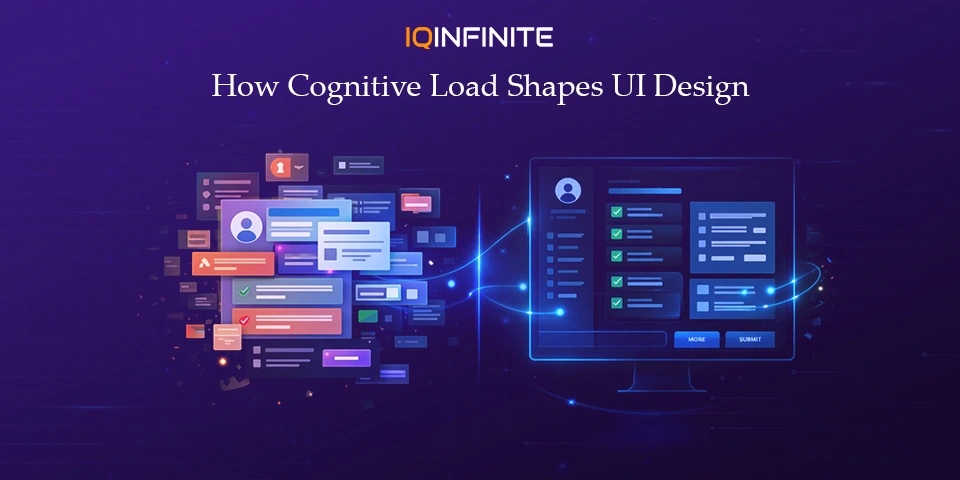
In today’s digital landscape, user interfaces are more than visual touchpoints they are psychological experiences. Every click, scroll and interaction places a cognitive demand on the user. At the core of truly effective UI design lies an understanding of cognitive load: the mental effort required to navigate and process digital products. As attention spans shrink and digital ecosystems grow increasingly complex, managing cognitive load is no longer just a design best practice it’s a business imperative that directly impacts engagement, usability and conversion.
This focus on usability extends beyond software alone into the broader technology ecosystem, where companies influencing markets such as sandisk stock depend on intuitive digital experiences to communicate value, build trust and support long-term brand and investor confidence.
Understanding Cognitive Load: The Hidden Driver of UX
The Three Types of Cognitive Load
- Intrinsic Load: The inherent complexity of the task itself. This type of load is unavoidable and depends on how difficult the information or action is for the user.
- Extraneous Load: The unnecessary mental effort imposed by poor interface design, unclear navigation or redundant information. This is the most harmful form of load and the one designer have the most control over.
- Germane Load: The mental effort that supports learning, pattern recognition and deeper understanding, enabling users to build mental models over time.
Why It Matters in UI Design
Why Cognitive Load Matters for UX in 2025
- Engagement and retention: Lower cognitive effort encourages users to stay longer, explore more and return more often.
- Task completion and conversion rates: When interactions are simplified, users' complete tasks faster and with greater confidence driving higher conversions.
- Error rates and user frustration: Cognitive overload increases mistakes, hesitation and abandonment, eroding trust in the product.
Psychological Principles That Shape Effective UI
1. Hick’s Law - Fewer Choices, Faster Decisions
2. Miller’s Law - Design for Limited Memory
3. Fitts’s Law - Make Interaction Effortless
4. Gestalt Principles - Let the Brain Do the Work
Design Strategies to Reduce Cognitive Load (and Boost UX)
- Progressive Disclosure: Present information gradually, revealing complexity only when needed. This prevents users from feeling overwhelmed and keeps attention focused.
- Strong Visual Hierarchy: Strategic use of size, contrast, spacing and alignment directs attention to what matters most minimizing visual scanning and mental effort.
- Minimalism With Intent: Removing clutter improves clarity, but effective minimalism is purposeful, not empty. Every element should earn its place.
- Immediate, Meaningful Feedback: Clear feedback animations, confirmations and state changes helps users understand the outcome of actions instantly, reducing uncertainty.
- Clear, Human Language: Simple, direct wording in buttons, labels and messages prevents misinterpretation and hesitation. Users should never have to “decode” an interface.
- Consistent Design Systems: Consistency in color, typography and interaction patterns reduces guesswork and helps users build mental models faster across experiences.
Emerging Trends: Where Cognitive Load Meets Next-Gen UI
- Adaptive & AI-Driven Interfaces: AI-powered UIs dynamically personalize content, hide unnecessary complexity and surface relevant actions reducing cognitive load based on individual user behaviour. This is becoming a defining UX trend in 2025.
- Voice & Gesture-Based Interaction: By shifting interactions away from screens, voice and gesture interfaces reduce visual clutter and offload cognitive effort particularly in multitasking or hands-free contexts.
- AR & Immersive Experiences: Augmented reality provides contextual, in-the-moment information, reducing reliance on memory and improving task efficiency. Cognitive load principles are increasingly central to immersive UX design.
Conclusion
Effective UI design is psychology made visible. When designers respect cognitive limits and align interfaces with how people naturally think and perceive, products become:
- easier to use
- more intuitive
- more effective at helping users achieve their goals
In an era of constant notifications, infinite choices and shrinking attention spans, the most powerful UI doesn’t demand more from users it thinks on their behalf.