
Control Claude Code from Anywhere: Manage AI Coding Sessions on Any Device
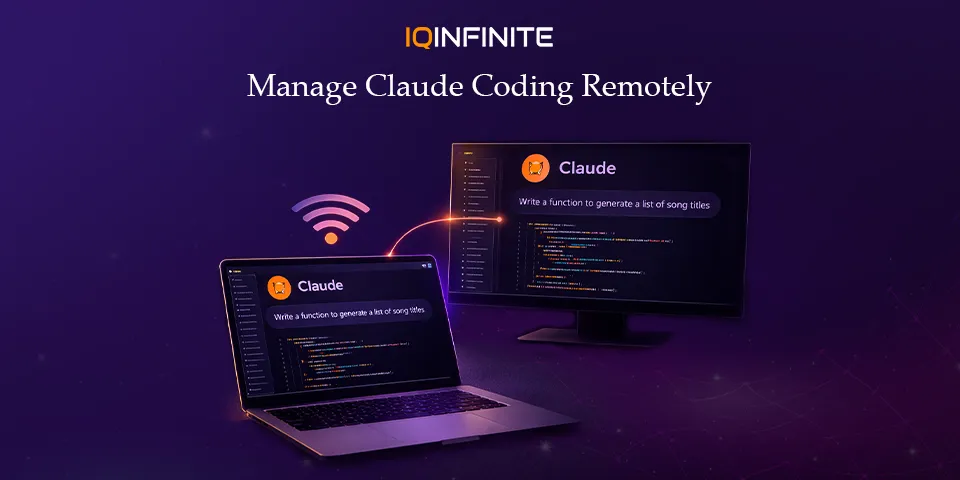
AI-powered development is evolving rapidly. Developers are no longer limited to writing code only at their desks. With the latest remote-control capabilities in Claude Code, developers can start a coding session on their local machine and access Claude Code remotely from a phone, tablet or browser anywhere in the world.
This shift is part of a broader trend toward agent-driven development, where AI tools actively write, refactor, test and manage code while developers supervise and guide the process. It’s like how modern cloud platforms deliver large digital experiences such as Cyberpunk 2077 through services like Xbox Game Pass, where powerful systems run remotely while users interact with them seamlessly.
With tools like the Claude Code programming assistant, developers can now combine AI-powered coding with flexible remote access, making development workflows more dynamic than ever before.
The Rise of AI-Driven Development
The latest evolution is agent-driven development workflows, where AI systems run complex development tasks autonomously while developers supervise them.
For example, developers can now:
- Refactor large codebases automatically
- Generate tests and documentation
- Run builds and fix errors
- Create pull requests and update dependencies
That limitation is disappearing thanks to Claude remote development capabilities.
What Is Claude Code Remote Control?
Instead of moving the development environment entirely to the cloud, the session continues running on your machine while your phone, tablet or browser becomes a remote interface.
This means developers can access Claude Code remotely while still maintaining full control over their local environment.
You keep access to:
- Local files
- Environment variables
- MCP servers
- Toolchains and dependencies
In simple terms:
Your laptop runs the AI.
Your phone controls it.
This hybrid model combines the flexibility of Claude Code cloud access with the security of local development environments.
How It Works
1. Start a Claude Code Session
claude rc
claude remote-control
2. Connect from Another Device
- A secure session URL
- A QR code for instant connection
This simple workflow makes Claude remote development accessible without complicated configuration.
3. Manage the AI Session Remotely
Using the interface, developers can:
- Monitor AI progress in real time
- Approve or reject code changes
- Send new prompts or instructions
- Review file modifications
- Continue conversations with the AI assistant
Key Features That Make Remote AI Development Powerful
Real-Time Remote Terminal
This allows you to oversee long-running tasks without remaining at your desk.
Persistent AI Sessions
If your internet connection drops or you switch networks, the development process continues running locally. Once you reconnect, the Claude Code programming assistant resumes exactly where it left off.
Full Access to Your Local Development Environment
This includes:
- Filesystem access
- Local CLI tools
- Custom integrations and MCP servers
Cross-Device Synchronization
Developers can interact with their coding sessions from:
- Terminal
- Browser
- Mobile device
Why This Matters for Developers
Developers can now:
- Start a refactor before leaving the office
- Monitor builds during a commute
- Approve code changes from their phone
- Continue development sessions from anywhere
The Bigger Trend: AI Agents Running Software Projects
Modern AI tools can already:
- Fix bugs across multiple files
- Generate entire features from prompts
- Write tests automatically
- Deploy applications
As adoption grows, Claude remote development workflows are likely to become standard across engineering teams.
Security and Privacy Considerations
Even when using Claude Code cloud access, the development environment itself stays local.
Most implementations rely on:
- Encrypted communication
- API key authentication
- Outbound-only connections
Limitations to Be Aware Of
For example:
- Some plans may restrict remote access sessions
- Only one active session may be supported in early releases
- Your local machine must remain online
The Future of AI-First Development
Soon, developers may:
- Run multiple AI coding agents simultaneously
- Manage development entirely from mobile devices
- Monitor large code changes remotely
- Coordinate distributed AI agents across projects
Conclusion
With tools like the Claude Code programming assistant, developers can supervise, guide and optimize AI-driven development from anywhere. As Claude remote development capabilities continue to improve and Claude Code cloud access becomes more refined, remote-first development workflows are likely to become the new standard for software engineering teams.
AI-assisted coding is no longer just about writing code faster it’s about transforming how development itself happens.